Real film looks for your digital photos
A film look that holds up,
because it's built from how film behaves.
LunaLux Photo Editor turns a folder of photos into a working darkroom. Grade with ten film recipes, add halation and silver-halide grain that respond to your own highlights, print a sprocket rebate around the frame, edit the whole folder at once — and export without ever modifying the originals. Shoot film too? It inverts your negative scans as well.
Film simulation engine
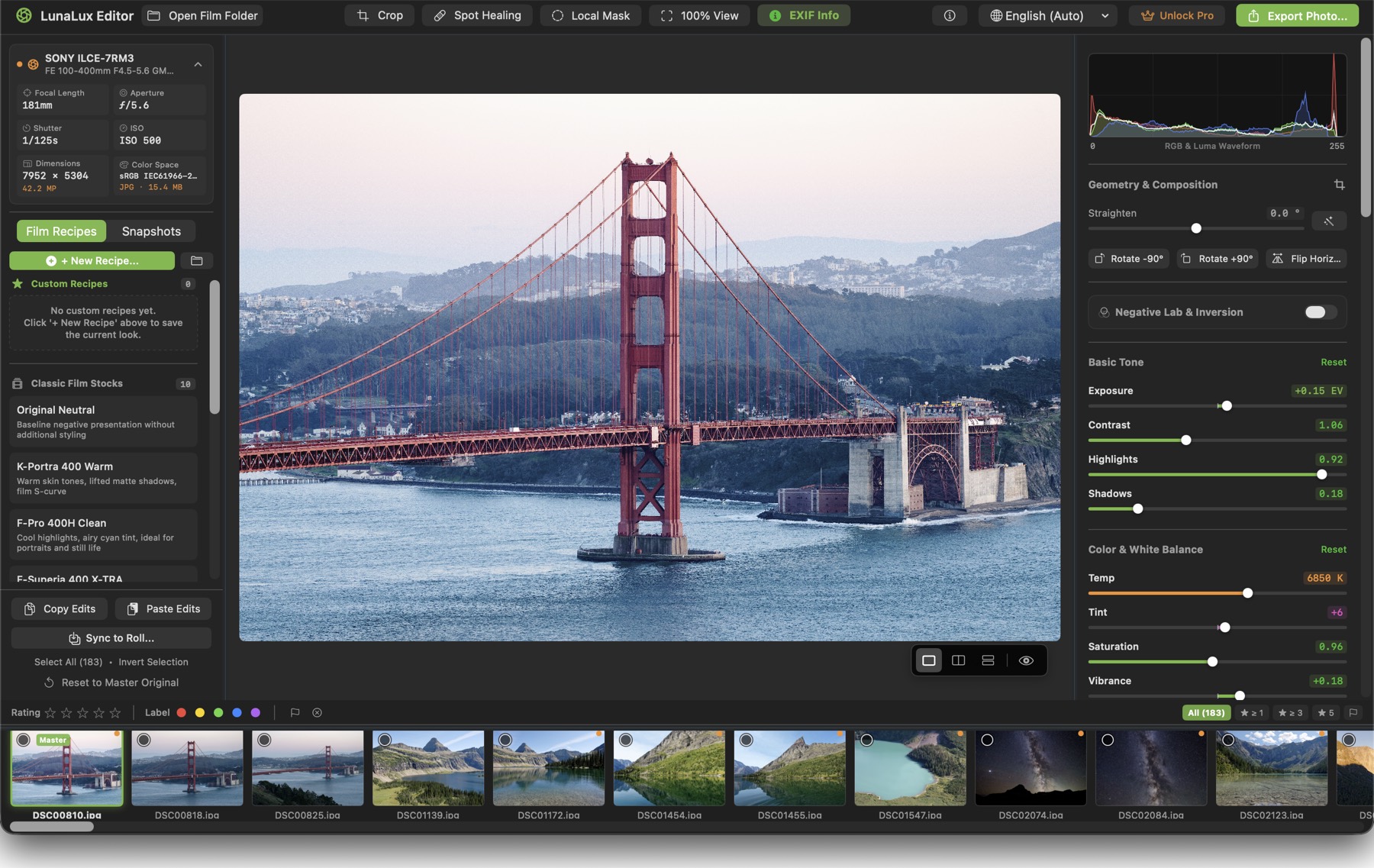
Halation and grain, simulated — not stickered on.
Red-channel halation with its own diffusion radius and highlight threshold. Black-mist bloom. Silver-halide grain with real size, roughness and dye-cloud controls that scale with the image, so a 42-megapixel frame doesn't end up with 42-megapixel-sized noise.
Rebates & borders
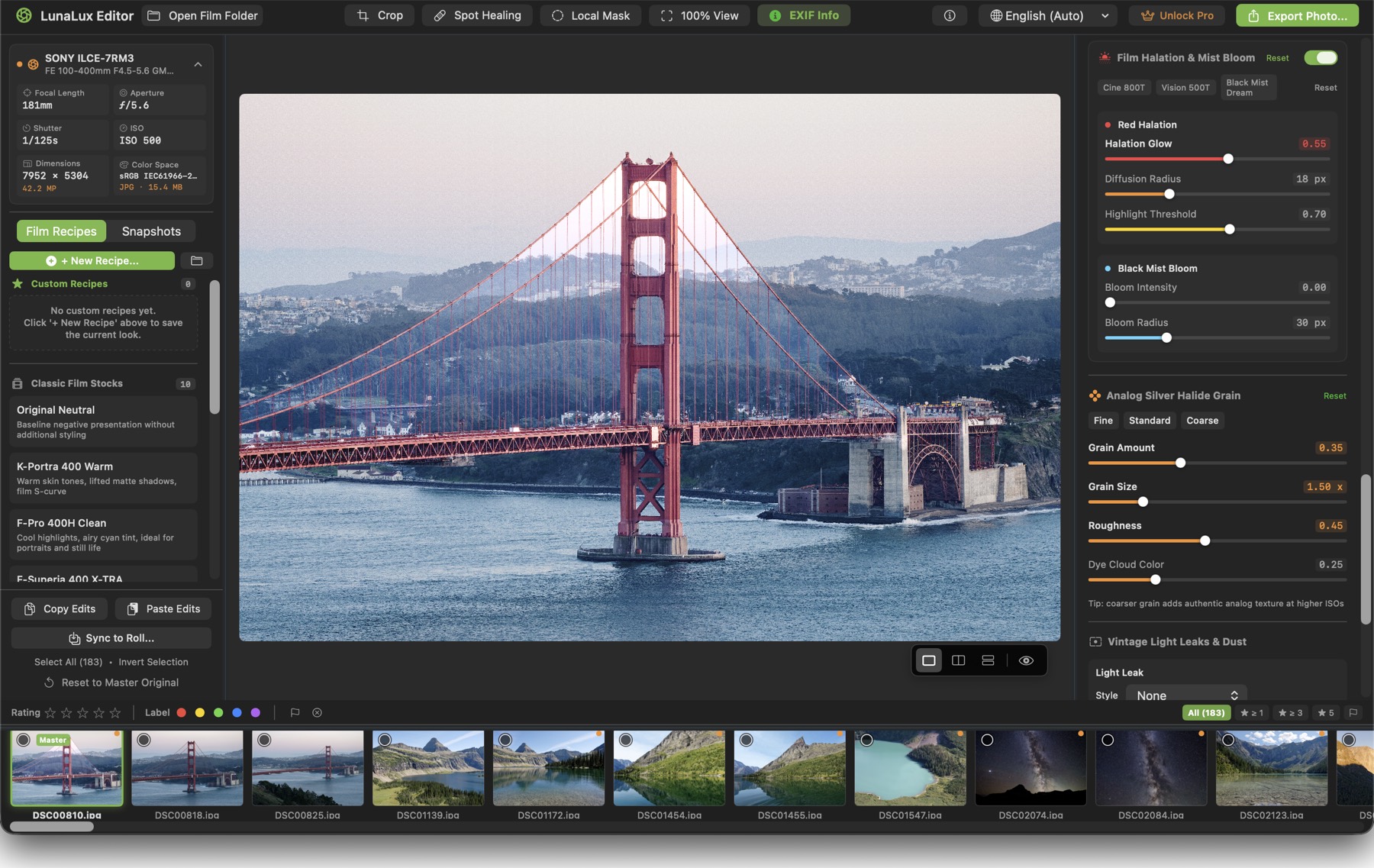
Sprockets, rebates, DX barcodes.
Print the frame the way the lab handed it back.
- Full sprocket overlay, 35mm, 120 rebate, instant frame and gallery border
- Darkroom black, film-base amber or fine-art white surround
- Editable film-stock label, frame number and DX barcode
- Optional EXIF watermark set in typewriter type
The full toolset
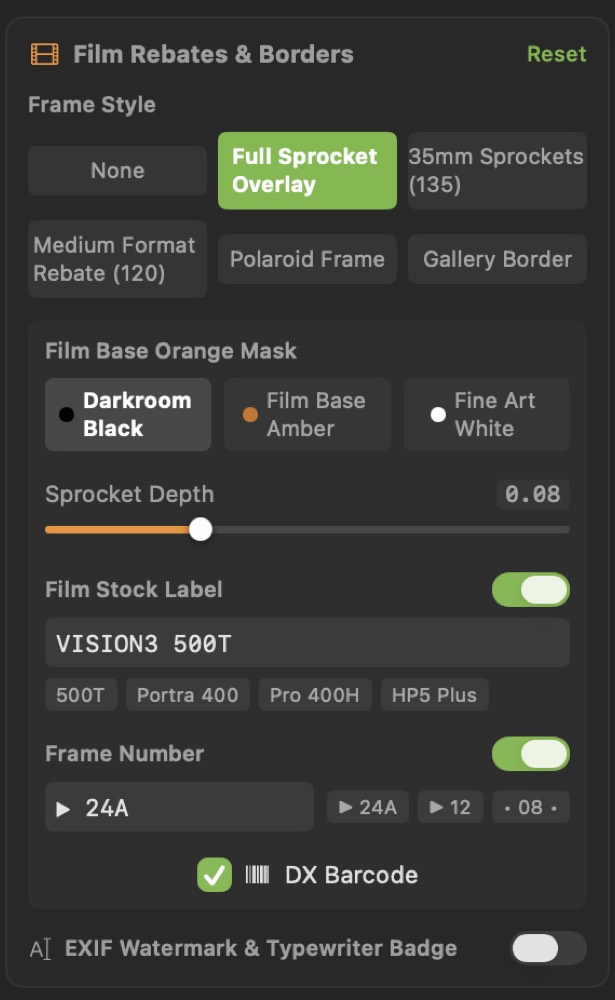
Everything a frame needs, in one panel stack.
Negative Lab & Inversion
Shoot film too? Invert scanned colour negatives with orange-mask compensation, then grade the positive like any other photo. Off by default for digital work.
Film recipes
Ten built-in stock emulations, from neutral to punchy consumer colour, previewed live on your own photo. Save any state as your own recipe — it travels inside the folder to your other devices.
HSL, colour wheels & RGB curves
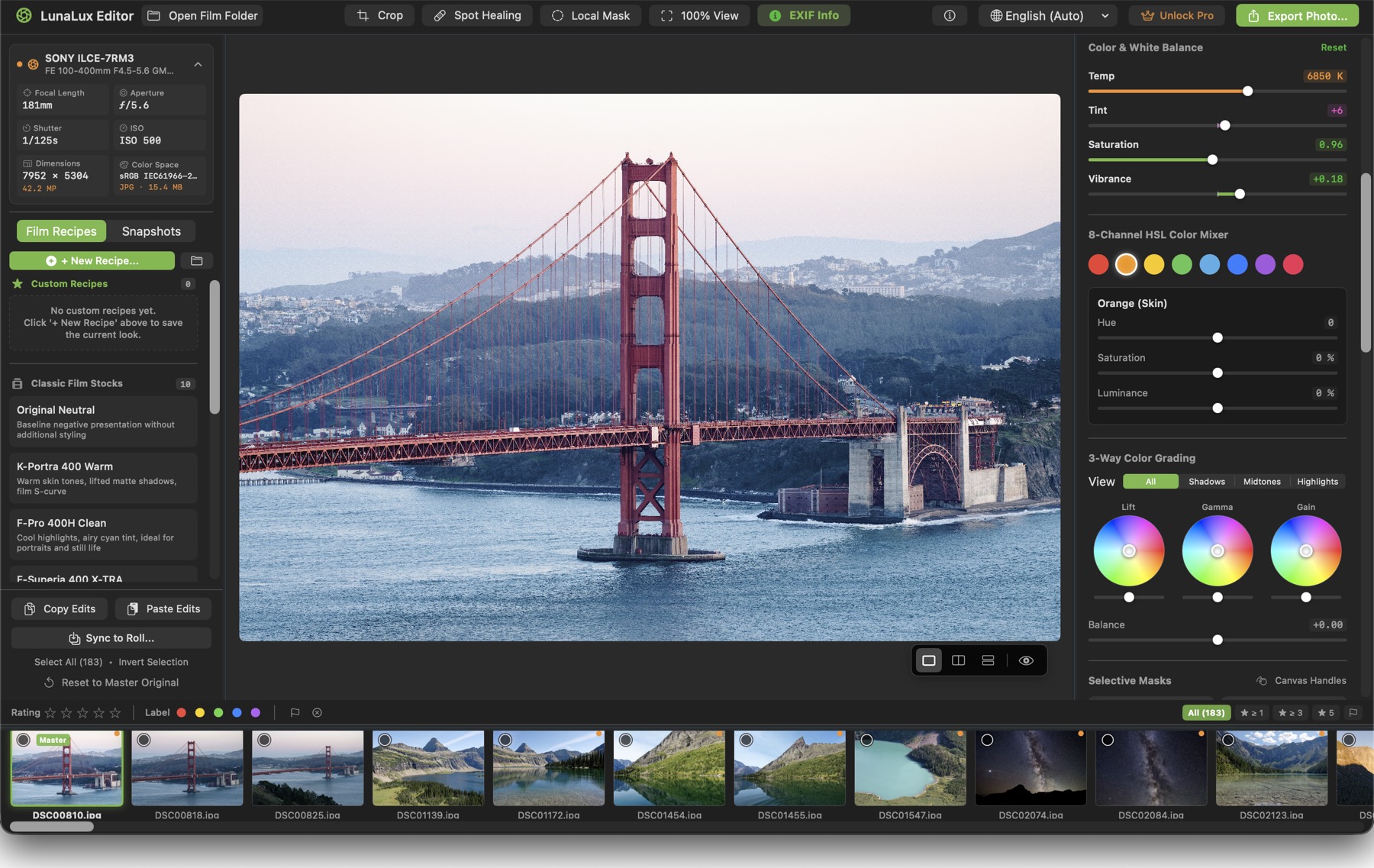
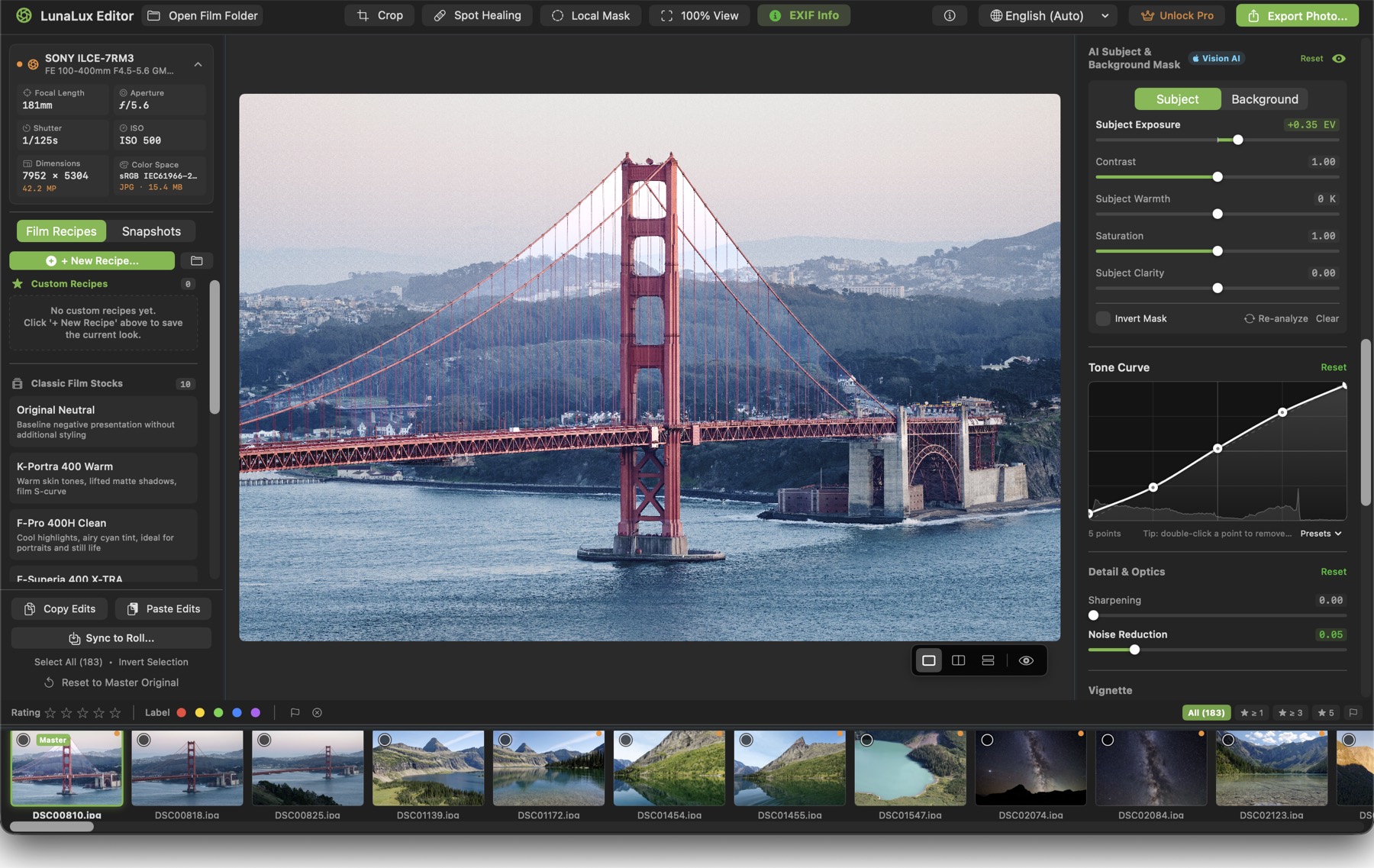
Hue, saturation and luminance on eight colour bands, lift / gamma / gain wheels with a balance slider, and master plus R, G, B tone curves over a live histogram.
Subject & background masks
On-device Vision analysis separates subject from background. Linear and radial masks and spot healing cover the rest.
Scanner dust & scratches
Add period-correct dust and scratches for character — or use spot healing to take real ones off a scan.
Scopes & HDR headroom
Live RGB and luma waveform with clipping warnings, plus an UltraHDR gain map and a real headroom readout for your display.
The whole roll
Built for a session, not a single photo.
Point LunaLux Editor at a folder and it opens as a roll. Cull with keyboard star ratings, colour labels and reject flags, filter down to the keepers, sync one look across everything, and batch export with live per-file progress.

Your originals stay untouched
Edits live in a small recipe file beside the photo. Nothing is imported, converted, moved or overwritten — and no XMP sidecars are scattered through your folders.
No catalogue to maintain
There is no library database to import into, rebuild, or lose. Move the folder to another drive and the edits move with it.
Export on your terms
JPEG, HEIC, 16-bit TIFF or PNG in sRGB, Display P3 or Adobe RGB — full size or a long-edge preset with output sharpening, and true Ultra HDR JPEG when the frame has real highlight headroom.
Requirements
What you need to run it.
- Operating system
- macOS 14 Sonoma or later · iPadOS 17 or later · iOS 17 or later (one universal purchase)
- Processor
- Mac: Apple Silicon (M1 or later) · iPad and iPhone: any model running iPadOS / iOS 17
- Formats read
- JPEG, PNG, TIFF, HEIC and camera RAW (DNG, ARW, CR2/CR3, NEF, RAF, ORF, RW2 and more)
- Formats written
- JPEG, HEIC, 16-bit TIFF, PNG — in sRGB, Display P3 or Adobe RGB, with size presets and output sharpening
- Network
- Not required. All processing happens on your device; no account and no sign-in.
- Languages
- English, 简体中文, 繁體中文, 日本語, Deutsch, Français, Español
Questions before you start?
Support, FAQ and a direct line to a real person.